
Operation Manual




Managing ServerProtect
3-31
Creating a Scheduled Task
Creating scheduled tasks are easy to configure and save you time.
To create a scheduled task:
1. Follow steps 1 through 6 in the Creating Tasks on page 3-29 section. Make sure
you select the Create as a scheduled task check box under Scheduled task. See
Figure 3-16. The Task wizard window appears.
2. Click Next. The Schedule Settings window appears.
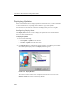
FIGURE 3-17. Schedule Settings window
3. Under Scheduled time in the Frequency list, click a download frequency. You
can select Monthly, Weekly, Daily, or Hourly. If you selected Weekly, click a
day in the Day of Week list. Alternatively, if you selected Monthly, click a day
in Day of month list.
4. In the Time box, type or select the time when you want to update the
components, and then click AM or PM.