
Operation Manual




Trend Micro™ ServerProtect™ Getting Started Guide
3-24
Deploying Updates
When an Information Server deploys updates to Normal Servers, it sends commands
to each Normal Server, requesting them to obtain a copy of the updates.
ServerProtect records both the connection and deployment process in a log file.
Configuring Deploy Now
The Deploy Now function is used to deploy the updates saved in an Information
Server to other Normal Servers.
To deploy an update:
1. Do one of the following:
•Click Update > Update on the side bar
•Click Do > Update from the main menu
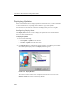
2. Click Deploy Now. A confirmation window appears. Click Yes to proceed with
the manual update deployment. The Deploy window appears.
FIGURE 3-11. Deploy Window
The current version of each server component is shown in a server tree. The
Pattern version check box is selected by default.