
Operation Manual




Trend Micro™ ServerProtect™ Getting Started Guide
3-22
•Click Update > Update on the side bar
•Click Do > Update on the main menu
2. Click Configure on the Update screen to change your download configuration.
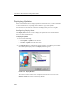
The Download Option window appears.
FIGURE 3-9. Download Option window
3. Configure the necessary download settings. The available download settings are:
• Download Source. See Configuring a Download Source on page 3-18.
• Proxy Setting. See Configuring Proxy Server Settings below.
• Schedule Setting. See Configuring a Scheduled Download on page 3-20.
Configuring Proxy Server Settings
You can configure ServerProtect to use your proxy server settings while connected to
the Internet.
To configure a proxy server setting:
1. Choose one of the following:
•Click Update > Update on the side bar
•Click Do > Update from the main menu