
Operation Manual




Trend Micro™ ServerProtect™ Getting Started Guide
3-4
• View: viewing ServerProtect log files, scanning results and the Trend Micro
Virus Encyclopedia
• Do: creating or modifying tasks, performing on-demand scan, updating or
rolling back the virus patterns, scan engines or program files, changing the IS
password, finding domains or servers, etc.
• Help: accessing the online help system and ServerProtect product information
Side Bar
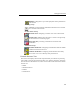
The side bar is the left-hand side of the ServerProtect screen and includes seven
groups of items. This provides shortcuts to different functional areas of the program.
Task Group
New Task: creating a new task
Existing Task List: viewing, running, modifying or deleting an
existing tasks
Scan Now Group
Scan Now: configuring a manual virus scan
Scan Result Group
Real-time Scan: viewing the result of a real-time scan
Scan Now: viewing the result of a manual scan
Tas k Scan: viewing the scanning result performed by a task
Update Group
Update: downloading and deploying updates to the Normal Servers
located on the network