
Operation Manual



Trend Micro™ ServerProtect™ Getting Started Guide
2-18
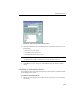
FIGURE 2-12. ServerProtect Setup Complete screen
9. Click Finish. The Install Control Management Agent now screen appears.
FIGURE 2-13. Control Manager Agent Installation window
10. Click Yes to install the Control Manager agent, otherwise click No to close the
setup program.
Installing a Normal Server
Use the setup program the first time you install a Normal Server. After that, use the
Management Console to install additional Normal Servers.