
Operation Manual



Trend Micro™ ServerProtect™ Getting Started Guide
2-16
2. Select the Install server as a ServerProtect Information Server check box on
the Select Components screen. See Figure 2-6.
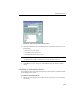
Click Browse to locate the target server and folder where you want to install an
Information Server. The ServerProtect Install Path Selection window appears.
FIGURE 2-10. ServerProtect Install Path Selection screen
3. Double-click the target server and choose the installation path for ServerProtect
Information Server files. To create a new folder, click New Folder and then click
OK.
4. Click Next in the Select Components screen. The Input Logon Information
screen appears. See Figure 2-7.
5. Under Logon Information, type the appropriate data next to the Domain name,
User name, Password, and Confirm Password fields, and then click Next.
The ServerProtect Setup Information Server screen appears.