
Operation Manual



Installing ServerProtect
2-15
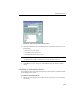
FIGURE 2-9. Select an Information Server screen
6. Select the Information Server the Management Console will control. Do one of
the following:
• Select a server from the list
• Provide the name of the server
• Provide the IP address of the server
Note: If an Information Server resides on a different network segment from the one where
the Management Console is installed, the server will not appear in the list.
7. Click OK to save your changes or click Cancel to close the window without
saving.
Installing an Information Server
The Information Server manages Normal Servers and responds to commands issued
by the Management Console.
To install the Information Server:
1. Execute the setup program and complete the necessary steps to provide product
information.