user manual
Manuals
Brands
TP-Link Manuals
Computer Hardware
Computer Hardware TL-WN951N
11
12
13
14
15
16
17
18
19
20
TL-WN951N
300Mbps Wireless N PCI Adapter
6
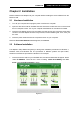
4. Click
Change
to specify the destination location for
the software or you can leave it default.
Click
Next
in the screen below to continue.
Figure 2-4
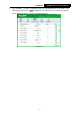
5. Click
Install
to continue the setup.
Figure 2-5
1
...
...
11
12
13
14
15
...
...
41