ADSL PCI Modem Quick User Guide
Manuals
Brands
Topcom Manuals
Network Router
Xplorer 874A
11
12
13
14
15
16
17
18
19
20
•
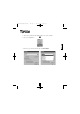
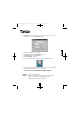
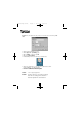
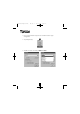
After reboot, right-click the ADSL monitor icon on the taskbar
.
•
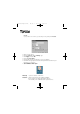
Choose ‘Configuration’.
•
Now choose your ISP in the list and click
Set As Active
.
Xplorer 8
10
11
QUGuide Xplorer810 28/8/01 11:10 am Page 11
1
...
...
9
10
11
12
13
...
...
28