
User guide




6 Sologic A811
Sologic A811
8 Operation
8.1 Making a call
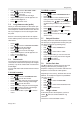
• Enter the telephone number.
• Press to delete a wrongly entered digit.
• Pick up the handset or press or to
make a hands-free call.
The call duration timer will start in the display 6
seconds after the number was dialled.
8.2 Receiving a call
• When a call comes in, the phone will ring and
the ringer LED will blink.
• Pick up the handset or press to take the
call hands-free.
8.3 Deactivating the microphone
During a call you can deactivate the microphone
and talk freely without the caller hearing you.
• Press and hold to mute the microphone.
8.4 Putting a call on hold
During a call you can put the caller on hold. During
this time the caller will hear an electronic melody.
• Press during the conversation and hang-
up the handset.
The other party will be on hold
• To continue the conversation, pickup the
handset or press for hands-free mode.
8.5 Last number redial
The phone will store the 16 latest dialed numbers
together with the call duration.
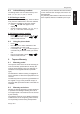
• Press to go through your latest dialed
numbers (“
OUT” will appear in the display).
• Pick up the handset or press or to
make a hands-free call.
• Press twice to delete a number.
8.6 Incoming Caller ID list
The phone can store up to 158 incoming numbers
(depending on the length of the number) together
with the time and date of the call.
• Press / to go through the incoming
numbers (“
IN” will appear in the display).
• Press twice to delete a number.
• Pick up the handset or press or to
make a hands-free call.
8.7 VIP numbers
In the incoming number list you can set special
numbers as VIP (Very important person).
VIP numbers cannot be deleted from the incoming
caller ID.
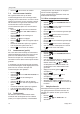
• When browsing the incoming number press
to set the number as VIP. “
VIP” will
appear in the display together with the
number.
• Press again to unselect VIP.
The volume of the handset can be set to
HI or LO by using switch .
24
During a call made with the handset you
can switch to hands-free by pressing
and hanging up the handset.
The hands-free volume can be adjusted
using the volume button .
9
In case the telephone is connected to a
PBX system it might be necessary to add
a pause after the PBX access code. The
phone can generate a 4 second pause
time.
Example: 0 P 012345678
– Press to enter a pause.
Secret numbers will be displayed as
“
-------------------- UNAVAILABLE”.
The LED will blink when you have new
missed calls. Missed calls will be
displayed together with “
NEW”.
If a long distance code (see “7.5 Long
distance code (prefix)”) is programmed,
you can add this code automatically by
pressing twice to dial the number.
For example:
Long distance code: 1234
Number in the caller ID list: 012345678
• Press twice.
The number dialled by the phone is
1234012345678
VIP
VIP