
User's Manual





5
7Glr 7GlrA
Figure 1 Installing and Removing the Swivel Base
POWER CORD
Power Source:
1. Make sure the power cord is the correct type that required in your area.
2. This monitor has a universal power supply that allows operation in either
100/120V AC or 220/240V AC voltage area ( No user adjustment is
required. )
3. Connect the power cord into your monitor’s power input socket, and then
plug the other end into a 3-pin AC power outlet. The power cord may be
connected to either a wall power outlet or the power outlet socket on your
PC, depending on the type of power cord supplied with your monitor.
VIDEO CABLE
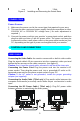
Connecting the Video Cable: the monitor comes with a built-in video cable.
Plug the signal cable?s 15-pin connector into the computer's video port and
tighten the two screws on the cable connector. (see figure 2)
Caution: Don’t bend the signal cable, otherwise it will break the inner wire.
Connecting the Power Cord: Plug the power cord into the monitor's AC
power socket. Then plug the power cord into a grounded AC outlet or UL-
approved power strip or the power output socket on your PC.
Caution: If the AC outlet is not grounded, install the proper grounding
adapter (not supplied).
Connecting the Audio Cable ( 7GlrA only ): Plug audio cable between the
computer multi-media (or sound) card's audio output and monitor's audio
input.
Connecting the DC Power Cable ( 7GlrA only ): Plug DC power cable
between monitor to swivel base for audio power
CONTROLS AND CONNECTORS