
Operation Manual





- 37-
2.5. Multimedia Applications
2.5.1. Camera
Tap the “Camera” icon on
the Home screen. Then,
tap to view available
options. For example, you
can enable or disable the
flash, change color effects
and select scene mode.
To use the camera, you
must first insert a Micro SD
m e m o r y c a r d i n t o t h e
phone.
2.5.2. Multimedia Player
Tap the “Music” icon on the Home screen. To use the music
player, you must first insert a Micro SD memory card into
the phone.
2.6. Connecting to a computer
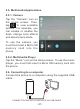
Connect the phone to a computer using the supplied USB
cable.
CONNECT PHONE WITH COMPUTER VIA USB CABLE