
Operation Manual







- 27-
-
-
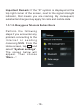
T h i s a p p l i c a t i o n c a n
man ag e mul tip le e mai l
accounts simultaneously.
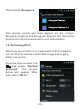
To c r e a t e a s e c o n d
account, tap then
s e l e ct “ S et t i n g s ” an d
“Add Account” in the top
right corner.
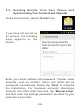
Once you have created
the email account, tap
th en s e le ct “ Se tt i ng s”
and tap the name of your
account in order to access
the main options:
Signature, which will appear at the bottom of each of
your emails,
Inbox check frequency, which defines how often the
phone will connect to the mail server to check if you
have received new emails. Select “Automatic (Push)”
to receive new emails in real time. Please take note
that this option consumes more battery and uses more
mobile data.
Select “Sync Contacts” so that the phone numbers of
your contacts are stored directly in the phonebook on
this device.
-