
Operation Manual





- 17-
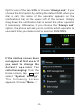
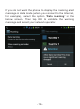
After that, select the second option “Always”. By default,
you are always notified whenever additional cost is
generated during roaming. To stop displaying the alert
message, select “Never”.
Important Note: You will not receive any roaming alert
when you are abroad. You should be particularly vigilant
and preferably restore the roaming alert to warn you of the
risk of being overcharged by your operator. You can also
disable mobile data completely (please refer to section
1.2.).
If you live in France in the border area (with Belgium,
Switzerland, Spain, Italy), it is strongly recommended
that you do not to turn off the roaming alert because
there is a risk that the phone connects to a foreign network
when your main network's signal is momentarily absent.
For more inform ation, pleas e contact your servic e
provider.