
Operating Instructions and Installation Instructions

Chapter 2
Basic Installation
18
E-DOC-CTC-20051017-0035 v1.0
2.3 The SpeedTouch™ Setup CD
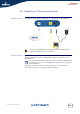
SpeedTouch™ Setup CD Your SpeedTouch™ comes with a Setup CD. If you insert the Setup CD into a
Microsoft Windows PC or Mac OS X computer, an intuitive CD Menu guides you
through the features and contents of the Setup CD and allows you to easily browse
for user documentation, SpeedTouch™ system software, service templates, etc.
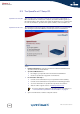
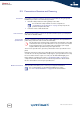
SpeedTouch™ CD menu The SpeedTouch™ CD menu appears automatically each time you insert the CD, or
after running the Quick-Install Wizard and subsequent Home Install Wizard:
Select:
Run Quick Installation to start the SpeedTouch™ Quick-Install Wizard and
SpeedTouch™ Home Install Wizard.
SpeedTouch Maintenance to:
Reconfigure your SpeedTouch™ via the Home Install Wizard.
Check for SpeedTouch™ upgrades on the Internet.
Documentation and Help to:
Consult user documentation for your SpeedTouch™ DSL Gateway.
Consult user documentation for SpeedTouch™ networking products.
See more information on SpeedTouch™ products and solutions.
Visit the online support sections on www.speedtouch.com.
Open a new window to view the Setup CD contents.
If you have problems viewing the SpeedTouch™ documentation, see
“ I cannot view the SpeedTouch™ documentation” on page 32.