
Operating Instructions and Installation Instructions


Chapter 2
Basic Installation
16
E-DOC-CTC-20051017-0035 v1.0
2.2.2 Manual Installation
Web-based Easy Setup With the help of the Easy Setup, your Internet connection is set up in a few clicks.
The Easy Setup is Operating System independent.
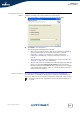
Preconditions Make sure that:
Your SpeedTouch™ is correctly set up and turned on.
Your computer is connected to the SpeedTouch™.
Your host computer is configured as DHCP client or with a valid fixed IP
address. For more information, refer to the Help of your browser.
Your Web browser is not using a proxy server. For more information, see
“ Disable proxy server” on page 34.
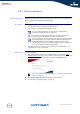
HTTP intercept Proceed as follows:
1 Open a Web browser. Browse to an arbitrary Web site, for instance http://
www.speedtouch.com. As long as no Internet connection has been set up, you
will be automatically redirected to the SpeedTouch™ Welcome page.
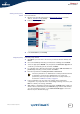
2 Click Set up my SpeedTouch to start the Easy Setup wizard.
3 Proceed with “ Using Easy Setup” on page 17.
See “ SpeedTouch™ wiring” on page 19 for a comprehensive
overview of all SpeedTouch™ connections.
In case of problems, you can give the host computer a fixed IP address
in the same subnet as your SpeedTouch™ (If the SpeedTouch™ is in
its default settings, that is an address between 192.168.1.1 and
192.168.1.253). In case you use fixed IP addresses, the SpeedTouch™
has to be configured as DNS server (default).
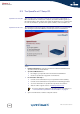
If you are not redirected automatically, go to “ Starting the Easy Setup
wizard” on page 17.