
Operating Instructions and Installation Instructions

Chapter 2
Basic Installation
15
E-DOC-CTC-20051017-0035 v1.0
Finishing the Home Install
Wizard
The SpeedTouch™ Home Install Wizard will configure the SpeedTouch™ and your
computer according to the service profile. Proceed as follows:
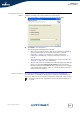
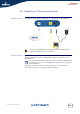
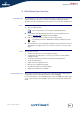
1 You can follow the configuration progress in following window:
2 Click Finish to close the wizard.
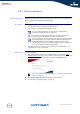
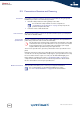
The following steps will happen automatically:
After some seconds, the Internet LED on your SpeedTouch™ will be lit
green to indicate Internet connectivity. If not, refer to “4.2 LED
Diagnostics” on page 27. If needed, you can test your Internet
connection as described in “ Testing your Internet Connection” on
page 29.
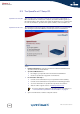
The SpeedTouch™ CD Menu is displayed. See “2.3 The SpeedTouch™
Setup CD” on page 18 for more information.
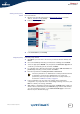
You are redirected to the embedded SpeedTouch™ pages automatically
(unless you cleared the http://speedtouch.lan check box in the last
window of the Home Install Wizard). These pages allow you to configure
your firewall, device settings, and so on. See the SpeedTouch™ User’s
Guide for more information.
More on IP settings The computer’s networking interface used during the Home Install Wizard
procedure will be configured for obtaining its IP configuration dynamically in the
most cases. This is the most convenient configuration and should not be changed.
For fixed or advanced IP configurations, please follow the instructions of
your ISP.