
Operating Instructions and Installation Instructions

Chapter 2
Basic Installation
8
E-DOC-CTC-20051017-0035 v1.0
2.2.1 Guided Installation
Introduction On the CD, a Quick-Install Wizard is provided that will guide you through the first
installation and setup of your SpeedTouch™.
The Quick-Install Wizard will:
Provide important safety and regulatory information.
Show you how to make the necessary connections to your SpeedTouch™.
Show you how to turn on your device.
Prepare you to smoothly run the SpeedTouch™ Home Install Wizard.
The subsequent SpeedTouch™ Home Install Wizard will then prepare your
SpeedTouch™ and your local computer(s) to connect to the Internet.
The Home Install Wizard will:
Guide you through connecting your computer(s) to your SpeedTouch™.
Prepare the SpeedTouch™ to connect to the Internet.
Connecting the cables:
wait!
Do not make any connections to your SpeedTouch™ until you are prompted to do
so by the SpeedTouch™ Quick-Install Wizard and/or the SpeedTouch™ Home Install
Wizard.
Starting the CD for the first
time
To start the SpeedTouch™ Setup CD Menu:
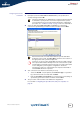
1 Insert the Setup CD into your computer's CD-ROM or DVD-ROM drive.
Microsoft Windows: The CD should autostart.
Mac OS X: Double-click Menu in the window with the content of the CD.
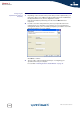
2 Select the language of your choice and click OK.
3 The procedure continues with the SpeedTouch™ Quick-Install Wizard.
Proceed with “ Quick-Install Wizard” on page 9.
!
You need administrative rights to run the applications on the Setup CD on a
Microsoft Windows 2000 or XP operating system, or Mac OS X computer.
If not, see ”The SpeedTouch™ CD does not start automatically”
on page 31.