
User's Manual





48
To Erase All Previously Played Messages in a Mailbox
1. Make sure the phone is OFF (not in talk m ode).
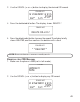
2. Press and hold the delete button, the answerer will announce “
TO
ERASE M ESSAGES, PRESS M AILBOX
”.
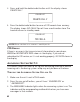
3. Press the m ailbox button (play/stop 1 or play/stop 2 or play/stop 3).
4. The answerer w ill announce “
ALL MESSAGES ERASED MAILBOX X
”,
follow ed by a confirm ation tone.
To Erase a message from the handset:
1. Press the flash/answ erer button on the handset.
2. Press the play/stop (key 2) followed by the mailbox number on the
handset (eg. Press key 2 and then key 3).
3. Press the erase (key 0) on the handset to erase a m essage
during playback.
NOTE : Erased messages cannot be restored.
MEMO
Use the m emo feature to leave a m essage for yourself.
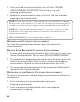
1. Press the m em o button, the answerer will announce “
TO RECORD,
PRESS AND HOLD M AILBOX
”.
2. Press and hold the m ailbox button (play/stop 1 or play/stop 2 or
play/stop 3).
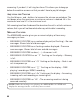
3. Begin speaking after you hear “
RECORD MESSAGE
” and the beep.
4. Release the m ailbox button w hen you are finished recording the m emo.
SCREENING CALLS
This feature allow s you to screen incomings calls by using the handset to
listen as the caller leaves a m essage.
1. Press the flash/answ er button on any handset after the answ erer
answers to the external call.
2. Press the answer button again to exit.