
User's Manual




45
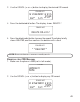
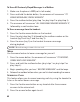
3. Your outgoing announcement will stop and be erased, a confirm ation
tone is emitted.
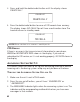
4. You w ill hear
ANNOUNCEMENT ERASED
, and the default
announcem ent is restored.
SETTING THE DAY AND TIME
For each m essage received, a day/tim e stamp is added to the m essage.
Press the day/check button, the unit w ill announce current tim e and day
(Day/ Hour/ Minute/ (AM/PM )).
TO SET THE DAY
1. Press and hold the day/check button until the unit announces the
correct day.
2. After the day is set, the new day and tim e will be announced.
TO SET THE HOUR
1. Press and hold the hour button until the unit announces the correct hour.
2. After the hour is set, the new day and tim e will be announced.
TO SET THE MINUTES
1. Press and hold the minute button until the unit announces the
correct minute.
2. After the minute is set, the new day and tim e will be announced.
SETTING THE RINGS TO ANSWER
This feature is used to set the unit to answ er a call after a specific number
of rings. The Ring Select Switch is located at the back of the unit.
1. When it is set at “ 3”, the unit will answ er the incoming call after 3 rings.
2. When it is set at “ 5”, the unit w ill answer the incom ing call after 5 rings.
TOLL SAVER
The toll saver is the final setting in the rings to answer menu. This feature
allows you to know if you have new m essages w hen calling the m achine from
a remote phone. If you have new messages, the unit w ill ring tw ice before