
User's Manual





44
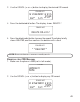
2. Press and hold the announce button. You w ill hear “
RECORD
ANNOUNCEMENT AFTER TONE
”. After the tone, say your
outgoing announcement.
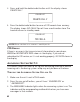
3. Release the announce button when you finish. The new recorded
outgoing announcement plays.
NOTE: You can direct callers to leave messages in a specific mailbox by having
them press th e desired mailbox (1-3) after the outgoing announcemen t plays. If
no mailbox is selected, the in coming messages automatically go into mailbox 1.
NOTE: The outgoing announcemen t must be 2 seconds or longer to be valid
and should n ot be longer than 2 minutes. Otherwise, th e system uses th e
default announ cement.
DEFAULT MAILBO X for incoming messages: mailbox 1.
REVIEWING THE OUTGOING ANNOUNCEMENT
To review the outgoing announcem ent, press and release the
announce button.
ERASING YOUR RECORDED OUTGOING ANNOUNCEMENT
1. To erase your outgoing announcement while listening to it, press and
release the delete button. You will hear
ANNOUNCEMENT ERASED
.
2. To re-record your outgoing announcem ent from any point, press and
hold the announce button. After the tone, say your new outgoing
announcem ent. Release the announce button when you finish.
3. The new outgoing announcem ent w ill be announced indicating that
the default one is being replaced.
RETURNING TO THE DEFAULT OUTGOING ANNOUNCEMENT
To return to the answerer ’s default outgoing announcem ent after you’ve
recorded one:
1. Press and release the announce button to play your
outgoing announcement.
2. Press and release the delete button w hile your outgoing
announcem ent is playing.