
User's Manual





43
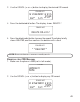
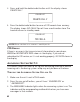
NOTE : The answerin g system displays “- -” when it is off.
VOICE INSTRUCTIONS
If you need additional assistance, press the review (rew) button in standby
mode and follow the voice instructions.
RECORDING THE OUTGOING ANNOUNCEMENT
Before using your answ ering system, you should record an outgoing
announcem ent (the announcem ent caller hear when your answ ering
system answers a call). A custom ized outgoing announcements can be
recorded. If you don’t record an outgoing announcement, callers hear
a default outgoing announcem ent, w hich says, “
PLEASE LEAVE YOUR
M ESSAGE AFTER THE TONE
.”
You can record two types of outgoing announcem ents, one to use for
global m ailbox 1, or one to direct callers to leave messages in specific
mailboxes. This is especially useful for active fam ilies or sm all businesses.
When recording the outgoing announcem ent, you should be about 6
inches from the unit. This ensures the best recording quality. Eliminate as
much background noise as possible.
Both types of outgoing announcem ents are recorded by the following:
1. Prepare your outgoing announcement.
For exam ple:
Sample Single Mailbox Outgoing announcement: Hi, this is (use your
name here), I can’t answer the phone right now, so please leave your name, number
and a brief message after the tone, and I’ll get back to you. Thanks.
Sample Multi-Mailbox Outgoing announcement: Hi, this is (use your name
here), We can’t answer the phone right now, so please press 1 to direct your message to
(name 1), press 2 to direct your message to (name 2), press 3 to direct your message to
(name 3). Leave your name, number and a brief message after the tone, and we’ll get
back to you. Thanks.