
User's Manual





42
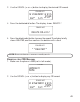
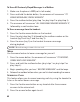
3. Press and hold the delete/redial button until the display shows
DELETE ALL?
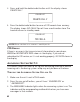
4. Press the delete/redial button to erase all CID records from mem ory.
The display show s
NO CALLS
. You will hear a confirmation tone. The
handset returns to standby mode.
NOTE: Press exit button to return to standby mode.
CID ERRORS
If there is an error in the transm ission of information to your phone,
ERROR
or
INCOMPLETE DATA
shows in the display. If you are not
subscribed to CID service, or it is not working properly,
NO DATA
shows in
the display.
ANSWERING SYSTEM SET UP
This section show s you how to set up your answering m achine to receive
incom ing calls. Answ ering system setup may only be done at the base.
TURNING THE ANSWERING SYSTEM OFF AND ON
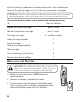
1. Make sure the unit is not in TALK m ode.
2. Press the ans on/off button, you will hear “
ANSWER ON
” or
“
ANSWER OFF
”.
3. The MESSAGES indicator lights w hen the answ ering system is on. The
indicator and the corresponding mailbox blink when you have new
messages in that mailbox.
DELETE ALL ?
CALLER LIST
NO CALLS
CALLER LIST