
User's Manual



28
AUTO STANDBY
Placing the handset in the base cradle w hile the handset is off hook
(during a call) autom atically hangs up the handset.
CALL WAITING
If you subscribe to the combined Call Waiting Caller ID service from your local
telephone company, you will receive Caller ID information (if available) on Call
Waiting calls. During a phone call you will hear a beep, w hich indicates
another call is waiting on the line, and Caller ID information show s in the
handset display. To connect to the waiting call, press the flash button on the
handset, and your original call is put on hold. You m ay sw itch back
and forth betw een the tw o calls by pressing the flash button.
FLASH
Use the flash/answerer button on the handset to activate custom calling
services, such as call waiting, w hich are available through your local
phone com pany.
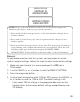
TIP: Don’t press th e talk/ callback or spk button on the handset to activate a
custom calling service, such as call waiting, or you’ll hang up th e ph on e.
REDIAL
You may redial the last 4 num bers, each up to 32 digits long. If the
num ber is longer than 32 digits, it w on’t be stored in the redial list. To
quickly redial the last number you dialed:
1. Press the talk/callback or spk button on the handset.
2. Press the redial button to redial the last num ber called.
-OR-
1. Press the redial button.
NOTE: If you get a busy signal and wan t to keep dialing the n umber, press the
redial button to quickly redial the n umber.