
User's Manual



25
NOTE: If on e or more handsets becomes lost, you should de-register all
handsets (globally) to ensure proper system operation.
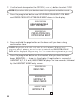
1. Press an d hold the base page button on the base un til the charge/ in use
indicator flash es.
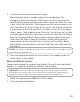
2. Press and h old th e base page button again un til the charge/ in use
flashes rapidly.
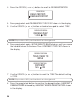
3. Press an d release the page button on th e base. The charge/ in use indicator
stops blin king, an d confirms all handsets are de-registered. Then the base
initializes again and each handset displays HANDSET NEEDS
REGISTRATION. You should also set the date/ time on th e base an swerer.
DEFAULT
As you becom e fam iliar with this system, you m ay prefer to use the
system ’s original settings. Follow the steps to return to the factory settings.
1. Make sure your handset is in menu mode and it is OFF (not in
TALK m ode).
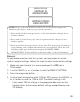
2. Use the CID/VOL ( or ) button to scroll to
DEFAULT SETTING
.
3. Press the prog/select button.
4. Use the touch-tone pad to select
1YES
or
2NO
, or press the CID/VOL (
or ) button to scroll to
1YES
or
2NO
. The default setting is
NO
.
• If you select
YES
, all settings in the programm able m enu on the
handset return to the factory default settings except M em ory and
VIP Melody.
HANDSET
#
DEREGISTERED
DEREGISTRATION
HANDSET NEEDS
REGISTRATION