
User's Manual



24
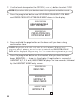
3. Press the CID/VOL ( or ) button to scroll to
DE-REGISTRATION
.
4. Press prog/select and
DE-REGISTER?
1YES 2 NO
show s in the display.
5. Use the CID/VOL ( or ) button or touche tone pad to select
1YES.
NOTE: If you select 2NO, your h andset is not deregistered.
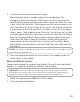
6. Press prog/select again,
MOVE NEAR TO BASE
displays until you move
the handset closer to the base. Then
CONFIRM ? 1YES 2 NO
shows in
the display.
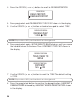
7. Use the CID/VOL ( or ) button to scroll to
1YES
. The default setting
is
1YES
.
NOTE: If you select 2NO, your h andset is not deregistered.
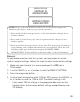
8. Press the prog/select button to confirm the deregistration.
HANDSET #
DEREGISTERED
followed by
HANDSET NEEDS REGISTRATION
shows
in the display.
REGISTRATION
DEREGISTRATION
MAIN MENU
DEREGISTER?
1 YES 2 NO
DEREGISTRATION
CONFIRM?
1YES 2NO
DEREGISTRATION
MOVE NEAR TO
BASE
DEREGISTRATION