
User's Manual





20
TO REVIEW/CHANGE/DELETE:
1. Repeat step 1 ~ 5 as above section.
2. If there is a VIP w hich has already been assigned to this location, it w ill
toggle to display that VIP name and number in 2 second intervals.
3. You can change, delete or return to previous m enu:
a) Press prog/select button to re-assign the VIP record, or
b) Press delete/redial button to delete the VIP record, or
c) Press exit to return to previous m enu.
SETTING THE SECURITY CODE
This unit provides you with the ability to access the answ ering system
from a tone dialing telephone in another location. The security code is
required for remote access, and it prevents unauthorized access to your
answering system . The default code is
#123
, and you m ay change the last 3
digits security code in any handset registered w ith the unit. The security
code has to start with
#
.
1. Make sure your phone is OFF (not in TALK mode).
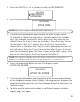
2. Press prog/select button to enter into
MAIN MENU
.
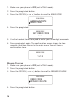
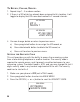
3. Press the CID/VOL ( or ) button to scroll to
SECURITY CODE
.
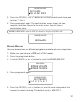
VIP 3
VIP MELODY
MELODY 7
JOHN SMITH
VIP MELODY
317-123-4567
VIP MELODY
SECURITY CODE
MAIN MENU