
User's Manual





18
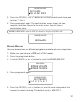
6. Press the prog/select button again to save. The confirmation screen
show s for two seconds, and then returns to the main menu. You will
hear a confirmation tone.
VIP MELODY
This features allow you to assign a specific melody to som eone you want
to get your attention w hen the person calls. When a VIP melody is
assigned and that person calls, the VIP m elody will ring instead of the
norm al ring. You m ay choose from six different polyphonic melodies plus
one ringer tone.
NOTE: This feature on ly works when th e following condition s are met.
1. You have subscribed to Caller ID.
2. You have your Caller ID record transferred to th e memory. ( Refer to
Transferring CID Records To Memory) .
ASSIGNING, REVIEWING, CHANGING OR DELETING A VIP MELODY
TO ASSIGN:
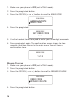
1. Make sure your phone is OFF (not in TALK mode).
2. Press prog/select button to enter into
MAIN MENU
.
3. Press the CID/VOL ( or ) button to scroll to
VIP MELODY
.
4. Press prog/select button w hen the cursor key prom pted to
VIP MELODY
.
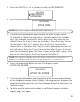
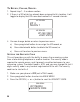
5. Press the CID/VOL ( or ) button to your desired VIP location. If the
location is available, it w ill display as below.
MELODY - 4
RINGER MELODY
RINGER MELODY
VIP MELODY
MAIN MENU