
User's Manual





16
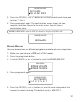
1. Make sure your phone is OFF (not in TALK mode).
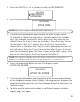
2. Press the prog/select button.
3. Press the CID/VOL ( or ) button to scroll to
AREA CODE
.
4. Press the prog/select.
5. Use the handset touch-tone pad to enter your three digit area code.
6. Press prog/select again. The confirm ation screen show s for two
seconds, and then returns to the main menu. You will hear a
confirm ation tone.
RINGER VOLUME
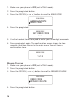
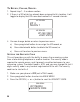
1. Make sure your phone is OFF (not in TALK mode).
2. Press the prog/select button.
3. Press the CID/VOL ( or ) button to scroll to
RINGER VOLUME
.
4. Press the prog/select button.
HANDSET NAME
AREA CODE
MAIN MENU
SET AREA CODE
- - -
AREA CODE
AREA CODE
RINGER VOLUME
MAIN MENU
1 2 3
AREA CODE