
User's Manual





15
4. Press the prog/select button.
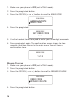
5. Use the touch-tone pad to enter the handset name.
More than one letter is stored in each of the num ber keys. For example, to
enter the nam e Bill Smith, press the 2 key twice for the letter B. Briefly
pause and the cursor m oves to the next field. Press the 4 key 3 tim es for
the letter I. Briefly pause and the cursor m oves to the next field. Press the
5 key 3 tim es for the letter L. Briefly pause and the cursor moves to the
next field. Press the 5 key 3 tim es for the second letter L, press 1 key to
add a space. Press the 7 key 4 tim es for the letter S. Briefly pause and the
cursor moves to the next field. Press the 6 key once for the letter M . Briefly
pause and the cursor m oves to the next field. Press the 4 key 3 tim es for
the letter I. Briefly pause and the cursor m oves to the next field. Press the
8 key for the letter T. Briefly pause and the cursor moves to the next field.
Press the 4 key twice for the letter H.
NOTE: If a name is already stored in the handset, you may remove it by
pressin g the delete/ redial button.
NOTE: If you make a mistake press th e delete/ redial key to backspace an d
erase the wron g character.
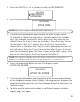
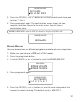
2. Press the prog/select button to save the name The confirmation screen
show s for two seconds, then returns to the m ain m enu. You will hear a
confirm ation tone.
AREA CODE
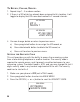
If you entered a 3-digit area code in the area code menu, your local area
code does not display on the Caller ID (CID) list. Instead, you only see the
local seven digit num ber. Calls received from outside your local area code
display as the full ten-digit number.
HANDSET NAME
JOHN SMITH
HANDSET NAME
ENTER NAME