
User's Manual





13
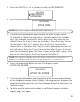
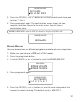
3. Press the CID/VOL ( or ) button to scroll to
ADD MEM ORY
.
NOTE: If you don ’t want to en ter th e n ame, skip step 4.
5. Use the touch-tone pad on your handset to enter a nam e (up to
15 characters). M ore than one letter is stored in each of the number
keys. For exam ple, to enter Bill Smith, press the 2 key twice for the
letter B. Press the 4 key 3 tim es for the letter I. Press the 5 key 3 tim es
for the letter L. Wait for 1 second. Press the 5 key 3 tim es for the
second letter L, and press the 1 key to insert a space between the first
and last nam e. Press the 7 key 4 tim es for the letter S; press the 6 key
once for the letter M ; press the 4 key 3 tim es for the letter I; press the 8
key for the letter T; press the 4 key tw ice for the letter H.
NOTE: If you make a mistake press th e delete/ redial button on th e base or
handset to backspace and erase th e wrong character( s) or n umber(s).
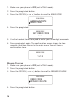
6. Press the prog/select button to save. The display shows
ENTER TEL NUMBR
.
7. Use the touch-tone pad on your handset to enter the area code follow ed
by the telephone num ber (up to 24 digits, including pauses) and press the
prog/select button again to save. The unit beeps to confirm and returns to
the m ain m enu.
8 . To enter another name and num ber in a different mem ory location,
repeat step 3 to 6 again.
ADD MEMORY
ENTER TEL NUMBR
ENTER NAME
ADD MEMORY
ADD MEMORY
LANGUAGE
MAIN MENU
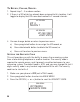
4. Press the prog/select button.