
User's Manual
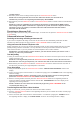
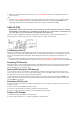



3. Press the TALK or SPEAKER button. The number dials automatically.
NOTE: Depending on (a) how the incoming caller’s phone number is formatted when it is received,
and (b) whether or not you previously pre-programmed your local area code into the set up menu,
you may need to adjust the format of the incoming caller’s stored phone number before making the
call, press the redial/format button to adjust the number, and try again.
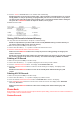
Available formats include:
Storing CID Records in Internal Memory
You may also store CID information in the phone’s internal memory.
NOTE: It is important that you format CID records correctly BEFORE storing in internal memory as
you cannot reformat CID records stored in memory.
1. Make sure the phone is OFF (not in TALK mode).
2. Use the caller ID-volume (6 or 5) button to scroll to the desired CID record.
3. Press the mute/menu OK button to store the number.
NOTE: Press the END/cancel button once to keep the previous setting (making no changes) and
return to the menu.
NOTE: If the selected CID record contains any information that is non-numeric, the unit will not allow
this record to transfer to the internal user memory. The handset will display UNABLE TO STORE.
Deleting a CID Record
1. Make sure the phone is OFF (not in TALK mode).
2. Use the caller ID-volume (6 or 5) button to display the CID record you want to delete.
3. Press the delete/intercom/conf button. The display shows DELETE CALL ID?
4. Press the delete/intercom/conf button to erase the record showing in the display. The display shows
DELETED.
NOTE: Press the END/cancel button to return to the standby mode without deleting any CID
records.
Deleting All CID Records
1. Make sure the phone is OFF (not in TALK mode).
2. Use the caller ID-volume (6 or 5) button to display any Caller ID record.
3. Press and hold the delete/intercom/conf button until DELETE ALL? shows in the display.
4. Press delete/intercom/conf button to erase all of the current CID records. The display shows DELETED
followed by NO CALLS.
NOTE: Press the END/cancel button to return to the standby mode without deleting any CID
records.
Phone Book
Each handset can store up to fifty records in phone book for quick dialing; each record can contain a maximum of
20-digit numbers and 15-character names.
Review Records