
User's Manual


88
Web Conguration
3. Access Control
This page allows you to ensure security by setting an access control to the
Access Point (AP). Access control is done on client’s mac addresses
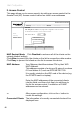
MAC Restrict Mode: Click Disabled to welcome all of the clients on the
network (default setting).
Click Allow to permit only the clients on the list to access the cable modem.
Click Deny to prevent the clients on the list to access this device.
MAC Address: YourGatewayidentieswirelessPCsbytheirWiFi
MAC Address.
This address consists of a string of 6 pairs of numbers
0-9 and letters A-F, such as 00 90 4B F0 FF 50.
It is usually printed on the WiFi card of the device (e.g.
the PCMCIA card in a laptop).
Enter the MAC addresses of the connected clients
intotheelds,andthenclickApplytoaddthemto
the list for access control. A maximum of 9 MAC
addresses can be entered.
+ : Afterproperconguration,clickonthe+buttonto
invoke the settings.
Connected Clients: The information of currently connected clients will be
displayed here.
Administration
Status - Telephony - Router - Wireless EMTA-Settings
Gateway
Wireless
Basic
Security
Access Control
802.11b/g Access Control : This page allows configuration of Access Control
to the AP as well as status on the connected clients.
MAC Restrict Mode Allow
Connected Clients
Computer Home IP Address MAC Address
MAC Addresses
00:14:BF:9F:AB:B4