
User's Manual


86
Web Conguration
2. 802.11b/g Security
ThispageallowsyoutoconguretheNetworkAuthentication.
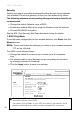
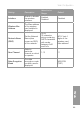
This page provides several different modes of wireless security.
You will have to enter proper information according to the mode you select.
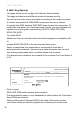
A network encrypted with WPA/WPA2 is more secure than a network
encrypted with WEP, because WPA/WPA2 uses dynamic key encryption. To
protect the information as it traveling through the air, you should enable the
highest level of encryption supported by the ACG: WPA2-PSK (AES)
WPA2-PSK (AES)
To enable WPA2
(Make sure that your wireless client and client manager are compatible with
it.)
choose WPA2-PSK (AES) in the security drop down menu.
Select a passphrase: the passphrase is composed of more than 8
alphanumerical characters. Uper and lower case characters can be used.
Use a strong passphrase which combines letters and numbers.
(The alphanumeric character set consists of the numbers 0 to 9 and letters A
to Z.)
Administration
Status - Telephony - Router - Wireless EMTA-Settings
Gateway
Wireless
Basic
Security
Access Control
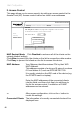
802.11b/g Security : This page allows configuration of the security, WEP key or
WPA passphrase.
Security WPA2-PSK(AES)
WPA Passphrase ACGProtection
Cancel
Apply
Click on apply
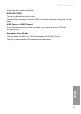
WPA2-PSK (AES) authentication and encryption
The authentication uses a 4-way handshake to check wether the Pre shared
Keys (PSKs) are identical.
Advanced Encryption Standard (AES) is the state of the art encryption
mechanism which provides the highest form of security for home users.