
User's Manual



17
Programming Your Phone
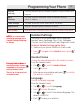
Area Codes
Preset local and regional area codes.
From the Handset menu;
1. Use or to scroll to Area Codes.
2. Press to enter the menu.
3. Use or to select Local Area Code or
Regional Area Code..
3. Enter the three digit code. The default is - - -
4. Press to save your selection.
Melody Settings
Set your preferences for each handset.
To Access Melody Settings via the Menu
1. Make sure your phone is OFF (not in talk mode).
2. Press , navigate to the Melody menu, press
to enter.
Earpiece Volume
From the Melody menu;
1. Use or to scroll to Ear Volume.
2. Press to enter the menu.
3. The current setting is displayed. Use to increase
or to decrease the volume. The default is 6 bars.
4. Press to save your selection.
Ringtone
From the Melody menu;
1. Use or to scroll to Ringtone.
2. Press to enter the menu. Use or to
switch between Internal (intercom/page) and
External (incoming calls) and press .
3. Scroll or . A sample is played. Press to
confirm. The default for Internal is Melody 2, the
default for External is Melody 3.
4. Press to save your selection.
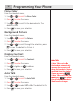
Area Codes
Most often, Caller-ID is
received with 10 digits (3-digit
area code + 7-digit phone
number) regardless of how
many digits need to be dialed
to call that number. The most
prevalent dialing plans in use
are 7-digit (normal 7-digit
phone-number), 11-digit
(1+area-code+7-digits) and
10- digits (area-code+7-digit).
When dialing back from the
call lists, the phone will try
to figure out if 7, 10, or 11
digits should be dialed. This
is accomplished by entering
area codes as settings.
There is a “Local Area Code”
and 5 “Regional Area Code”
settings available. The area
code settings work for dialing
back numbers only when the
Caller-ID received is 10 digits.
If the Caller-ID is anything
other than 10 digits, the Area
Code settings are not used to
pre-format the dialed number.
Area Codes
Most often, Caller-ID is
received with 10 digits (3-digit
area code + 7-digit phone
number) regardless of how
many digits need to be dialed
to call that number. The most
prevalent dialing plans in use
are 7-digit (normal 7-digit
phone-number), 11-digit
(1+area-code+7-digits) and
10- digits (area-code+7-digit).
When dialing back from the
call lists, the phone will try
to figure out if 7, 10, or 11
digits should be dialed. This
is accomplished by entering
area codes as settings.
There is a “Local Area Code”
and 5 “Regional Area Code”
settings available. The area
code settings work for dialing
back numbers only when the
Caller-ID received is 10 digits.
If the Caller-ID is anything
other than 10 digits, the Area
Code settings are not used to
pre-format the dialed number.
Ringtone Information
You can choose from 12
different melodies for external
(regular) or internal (intercom)
calls.
Ringtone Information
You can choose from 12
different melodies for external
(regular) or internal (intercom)
calls.