
User Manual





sensor switches from Presence Detection or Bidirectional People Traffic Detection Mode
to Gesture Recognition Mode - read details in the next section.
When the “engaged” person is leaving, the sensor detects the change and switches back
from Gesture Recognition Mode to Presence Detection Mode or Bidirectional People
Traffic Detection Mode.
When changing its state, the sensor outputs a character string corresponding to
Engagement or Disengagement.
The time threshold of the engagement trigger mode can be adjusted from a minimum
of 1 second to a maximum of 10 seconds. The time of disengagement can vary from 1
to 10 seconds.
By default, the set engagement range is 1 m, and can be adjusted from a minimum of
0.5 m to a maximum of 1.5 m.
5.1.4. Gesture Recognition Mode
Gesture Recognition Mode comprises 2 sub-modes operating at the same time: Swipe
Mode and Validation Mode.
5.1.4.1. Swipe Mode
Swipe Mode activates when a person is “engaged” - refer to above section 5.1.3
Engagement Trigger Mode.
Swipe Mode: the sensor detects Left to Right or Right to Left hand gestures performed
in front of the sensor. The connector of the USB/UART backboard should be placed on
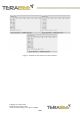
the right, Figure 10 illustrates the correct orientation of the TeraRanger Evo Swipe Plus.
Figure 10: Sensor orientation for Swipe Mode
● When a person performs a Right to Left gesture, the sensors outputs a character
string “Left”
Copyright © Terabee 2020
Terabee, 90 Rue Henri Fabre
01630, St Genis-Pouilly, France (next to CERN)
18/29