Datasheet
Manuals
Brands
Tenda Manuals
Networking
D810R
51
52
53
54
55
56
57
58
59
60
D810R ADSL2+ Rout
er User Guide
3)
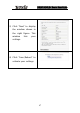
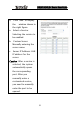
Click “Next”
to display
the window shown in
the right fig
ure. This
window lists your
settings.
4)
Click “Save/Reboot” to
activate your settings.
47
1
...
...
50
51
52
53
54
...
...
90