Datasheet
Manuals
Brands
Tenda Manuals
Networking
D810R
31
32
33
34
35
36
37
38
39
40
D810R ADSL2+ Rout
er User Guide
4)
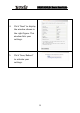
Click “Next” to display the
window shown in the right
figure. This window
shows
the general information
set.
5) Click “Save/Reboot” to
activate your settings.
29
1
...
...
32
33
34
35
36
...
...
90