
User manual




A5 150Mbps Travel Wireless N Router User Manual
51
3.5.2 MAC Address Filter
To better manage the computers in LAN, you can use the MAC
Address Filter function to control the computer’s access to
Internet.
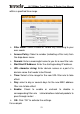
¾ Filter Mode: Select Disable, Forbid only or Permit only
according to your own needs.
¾ Access Policy: Select a number (indicating a filter rule) from
the drop-down menu.
¾ Remark: Enter a meaningful name to you for a new filter rule.
¾ MAC address: Enter the computer’s MAC address that you
want to filter out in the MAC address field.
¾ Time: Select a time range for the new MAC address filter rule
to take effect.
¾ Day: select a day or several days for the new MAC address
filter rule to take effect.
¾ Enable: Check to enable or uncheck to disable a
corresponding filter rule (allow/disallow matched packets to
pass through router).
¾ OK: Click “OK” to activate new settings.