
User manual






A5 150Mbps Travel Wireless N Router User Manual
41
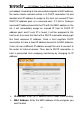
Step1. Select “Permit” from MAC Address Filter drop-down menu.
Step2. Enter 00:e8:c8:a4:56:75 in the MAC address box.
Step3. Click the “OK” button to save your settings and you can add
more MAC addresses, if you like, simply repeating the above
steps.
Example 2:
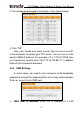
To prohibit only a PC at the MAC address of
00:c2:a5:67:d4:23 from connecting to your wireless network, do as
follows:
3.2.4 Connection Status
This interface displays the information of currently connected
wireless clients including MAC addresses and bandwidth.