
User manual





A5 150Mbps Travel Wireless N Router User Manual
28
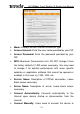
address mode only). Inquire your local ISP if you are not
clear.
L2TP
¾ Mode: Displays the current Internet connection type.
¾ L2TP server address: Enter the IP address of a L2TP
server.
¾ Username/Password: Enter Username/Password specified
by the PPTP server.
¾ Address mode: Enter the IP address information provided
by your ISP (PPTP server). Inquire your local ISP if you are
not clear (Static IP address mode only).
¾ IP address: Enter the IP address information provided by
your ISP (PPTP server). Inquire your local ISP if you are not
clear (Static IP address mode only).
¾ Subnet mask: Enter the subnet mask provided by your ISP,
normally, 255.255.255.0 (Static IP address mode only).
¾ Gateway: Enter the gateway provided by your ISP (Static IP
address mode only). Inquire your local ISP if you are not
clear.
3.1.3 LAN Settings