
Operation Manual
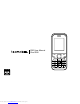




Left Button
- Use this button to navigate the Main menu.
- Whilst listening to the FM radio, press to search for a lower radio frequency.
- In standby mode use this button to go to sounds.
Right Button
- Use this button to navigate the Main menu.
- Whilst listening to the FM radio, press to search for a higher radio frequency.
- In standby mode use this button to add a new contact.
Right Soft Button
- Press the Right Soft button to select the corresponding function on the bottom
right hand side on the screen.
Left Soft Button
- Press the Left Soft button to select the corresponding function on the bottom left
hand side on the screen.
Page: 7
Downloaded from www.Manualslib.com manuals search engine