
Operation Manual




Camtasia Studio Version 8 Help
www.techsmith.com - 82 -
Clean Up Library
The Clean Up Library option removes any broken links, rebuilds the Library indexes, and updates your fold-
ers.
If you frequently add, delete, and move assets within the Library, it is good to perform this routine main-
tenance on a regular basis.
Once you perform the cleanup process, you cannot restore the Library to the previous version.
To perform the Library Clean Up Maintenance:
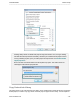
1. Choose Tools > Option > Program tab.
2. Click the Clean Up Library button.
1. The clean up confirmation appears. Read the message then click Yes to continue. The clean up proc-
ess begins immediately.
_________________________________________________________________________________________________________