
Operation Manual




Camtasia Studio Version 8 Help
www.techsmith.com - 78 -
Deleting Library assets can break other projects using those assets. Also, moving or deleting
files that have been imported into the Library can break your Camtasia Studio projects. Before
moving or deleting any files, open your video projects and export them as a Camtasia Studio
zipped project file.
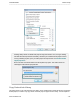
Be sure to select the Include all files from the Clip Bin in zip option. This creates a self-con-
tained project with backed up Clip Bin files.
Copy Content into Library
This option places a copy of all assets into the Library. Since copied assets increase the file size of Camtasia
Studio projects, it is best to only copy assets used from project to project into the Library. Use the Clip Bin to
_________________________________________________________________________________________________________