
Operation Manual




Camtasia Studio Version 8 Help
www.techsmith.com - 68 -
Back up a Project Automatically (Auto-
Save)
AutoSave automatically saves a backup project file for recovery. AutoSave is enabled by default and is set to
save every two minutes.
To Change the AutoSave Interval
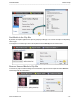
1. In Editor, select Tools > Options > Program tab.
2. Make sure the Enable AutoSave option is checked.
3. Enter the number of minutes between saves into the AutoSave interval field.
4. Click OK.
If you open the project after a crash or system failure, Editor automatically recovers the last saved project file.
See also
Import a Zipped Project
Export a Project as a Zip File
_________________________________________________________________________________________________________