
Operation Manual




Camtasia Studio Version 8 Help
www.techsmith.com - 56 -
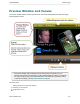
Detach or Attach the Preview Window
Click to detach the entire Preview Window from the Editor.
Click again to reattach the Preview Window to the Editor.
Working on the Canvas
The canvas is the work area where you arrange, rotate, resize, and order the media that is on the timeline.
The option to change the background color of the canvas is located in the Editing Dimen-
sions dialog box. The canvas is the background of your video. Therefore, the background color
appears in the final video whenever it can be seen in the Preview Window.
Selected Media
When a clip, group, or other media is selected on the timeline, it is also selected on the canvas.
Move, Resize and Rotate Media
To move media, grab and drag.
To size media, grab a handle and drag .
To rotate, grab center handle and turn.
_________________________________________________________________________________________________________