
Operation Manual




Camtasia Studio Version 8 Help
www.techsmith.com - 54 -
Preview Window and Canvas
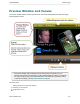
The Preview Window consists of three important areas: the Canvas, Editing Dimensions and view options,
and the playback controls.
The Preview Window might not always show the video exactly as it will play once it is
produced. Clip speeds, zoom animations, visual properties animations, callouts, or transitions,
etc. might not play correctly in the Preview Window. To see exactly how a transition, callout,
or other effects will play, use the Produce Selection As option.
Continue with
Editing Dimensions and View Options
Working on the Canvas
Playback Controls
_________________________________________________________________________________________________________