
Operation Manual




Camtasia Studio Version 8 Help
www.techsmith.com - 217 -
Flash / HTML 5 Player Options
To access these options, select Camtasia Studio > Produce and Share button > Custom production settings
> Next > MP4 - Flash/HTML 5 Player > Next.
Flash/HTML 5 Player Options
The Flash/HTML 5 Player options allow you to choose the look of the controller, turn features on or off in your
video, and adjust video settings like quality, keyframes, and more.
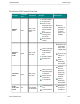
Controller Tab
In this tab, choose the controller theme (look) and the video start/stop actions.
_________________________________________________________________________________________________________