
Operation Manual





Camtasia Studio Version 8 Help
www.techsmith.com - 142 -
10. Resize, move, or rotate the callout on the canvas.
11. To include a fade in or out effect, use the slider to set the duration of the fades.
12. More effects such as drop shadow, border, color, and opacity can be found in the Visual Properties
tab.
Auto Generate Keystroke Callouts from a CAMREC Recording
1. Editor, click the Callouts tab. The Callouts task page appears.
2. Click the Add Callout button.
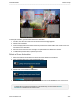
3. Select the desired Keystroke callout from the dropdown gallery. The keystroke callout appears on the
canvas.
4. Click the Generate the camrec button. The keystroke callouts are generated and placed on the time-
line and canvas at the time they appear in the video.
Auto generated keystroke callouts can be edited, deleted, moved, resized, etc. just like man-
ually added keystroke callouts.
See also
Add Callouts
Move, Resize, Rotate, or Delete a Callout
Callout Properties and Effects
Sketch Motion Callout
Highlight Callout
Add a Hotspot to a Callout
Blur or Pixelate the Screen with a Callout
Spotlight Callout
Text-Only Callout
Use Any Image as a Callout
_________________________________________________________________________________________________________