
Operation Manual



Camtasia Studio Version 8 Help
www.techsmith.com - 127 -
Resize Callout
On Timeline
To resize a callout on the timeline to change its duration, drag either end of the callout.
On Canvas
To resize a callout on the canvas to change its size, click and drag a handle in any direction.
Resize Shape
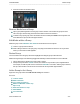
Some arrow callouts have handles that allow you to change the shape of the arrow.
Hover over the handles. If the handle turns yellow, drag to change the shape.
Rotate Callout
To rotate a callout on the canvas, click and drag the center handle to the left or right.
Press and hold the ALT key while dragging the clip for 3-D rotation.
_________________________________________________________________________________________________________